// something we've been building
RedCyfer's Ultimate Linux.
Our own Linux distribution. 828 packages compiled from source, our own kernel, a KDE Plasma desktop, apps we wrote ourselves, and Claude built in. It started as the computer Chris wanted to use every day. It's been his daily system since September.

> Why build a distribution
Every operating system makes thousands of decisions for you. Most of the time that's a good thing. But we run servers, networks and live video for a living, and we wanted one machine where every one of those decisions was ours: which kernel options, which compiler, what starts at boot, what an update is allowed to change, and where AI fits in.
So we built it from the ground up, the Linux From Scratch way, and then built the tools we use every day on top of it.
> Claude, built in, on a short leash
Press Meta+Space and ask your computer a question: why the fan is loud, what's filling the disk, why Wi-Fi dropped. Claude answers by looking at your system through our own set of read-only tools for processes, disks, sensors, network, logs and packages, and its steps appear on the desktop as it works. The same thing works in any terminal:
journalctl -b -p err | ask what is failing
ask on a test machine: the tools it used, then a plain answer and the commands to fix it. Two addresses are blurred.The tools only look. Anything that would change your system needs your approval first, task by task. There's push-to-talk too: speech is turned into text on your own machine with whisper.cpp, and answers can be read aloud with Piper.


> The apps we wrote
Everything with "Ultimate" in the name was written in-house.
- Claude bar + ask The desktop assistant and its command-line twin, with voice, backed by our own read-only system tool server
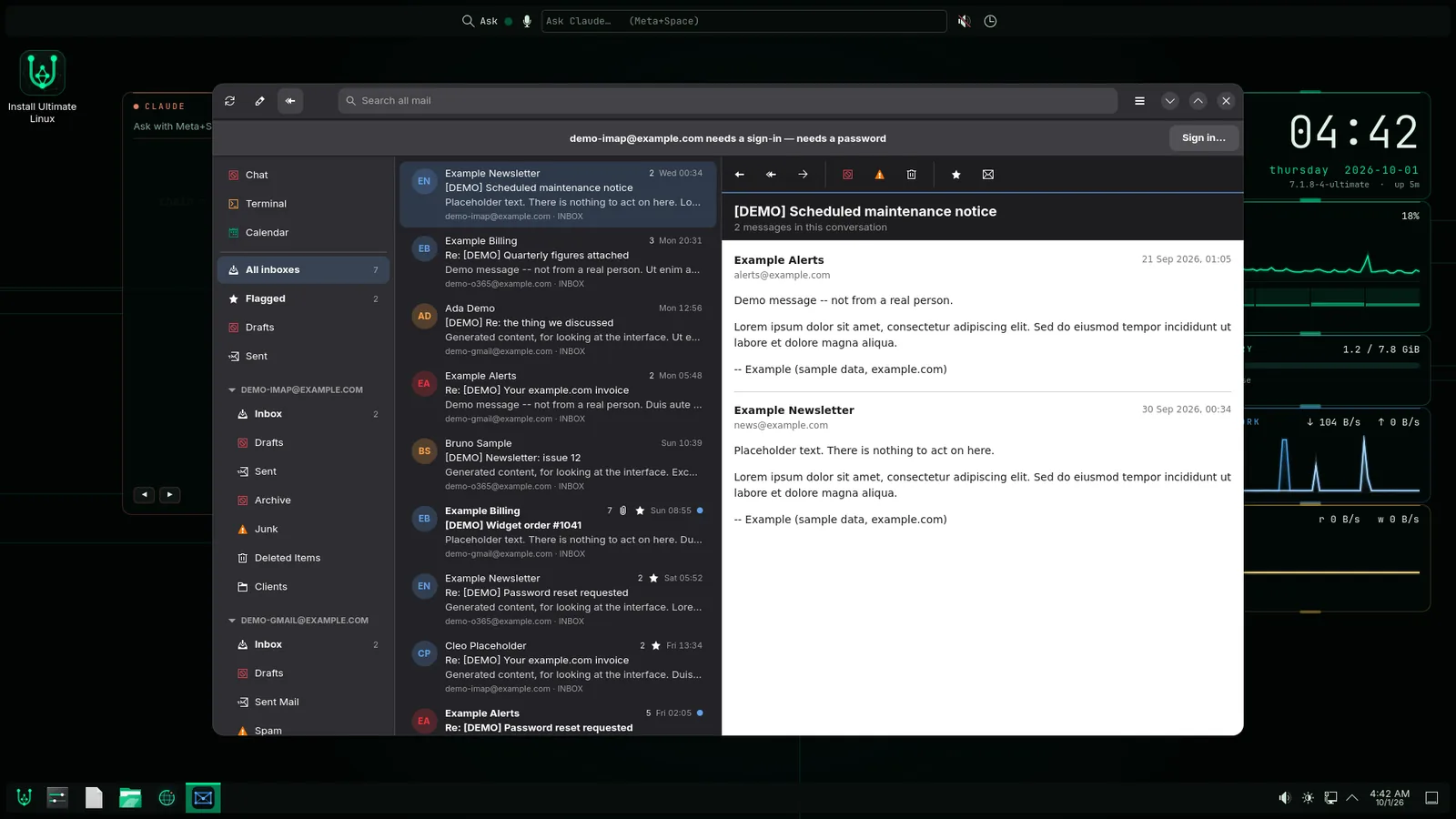
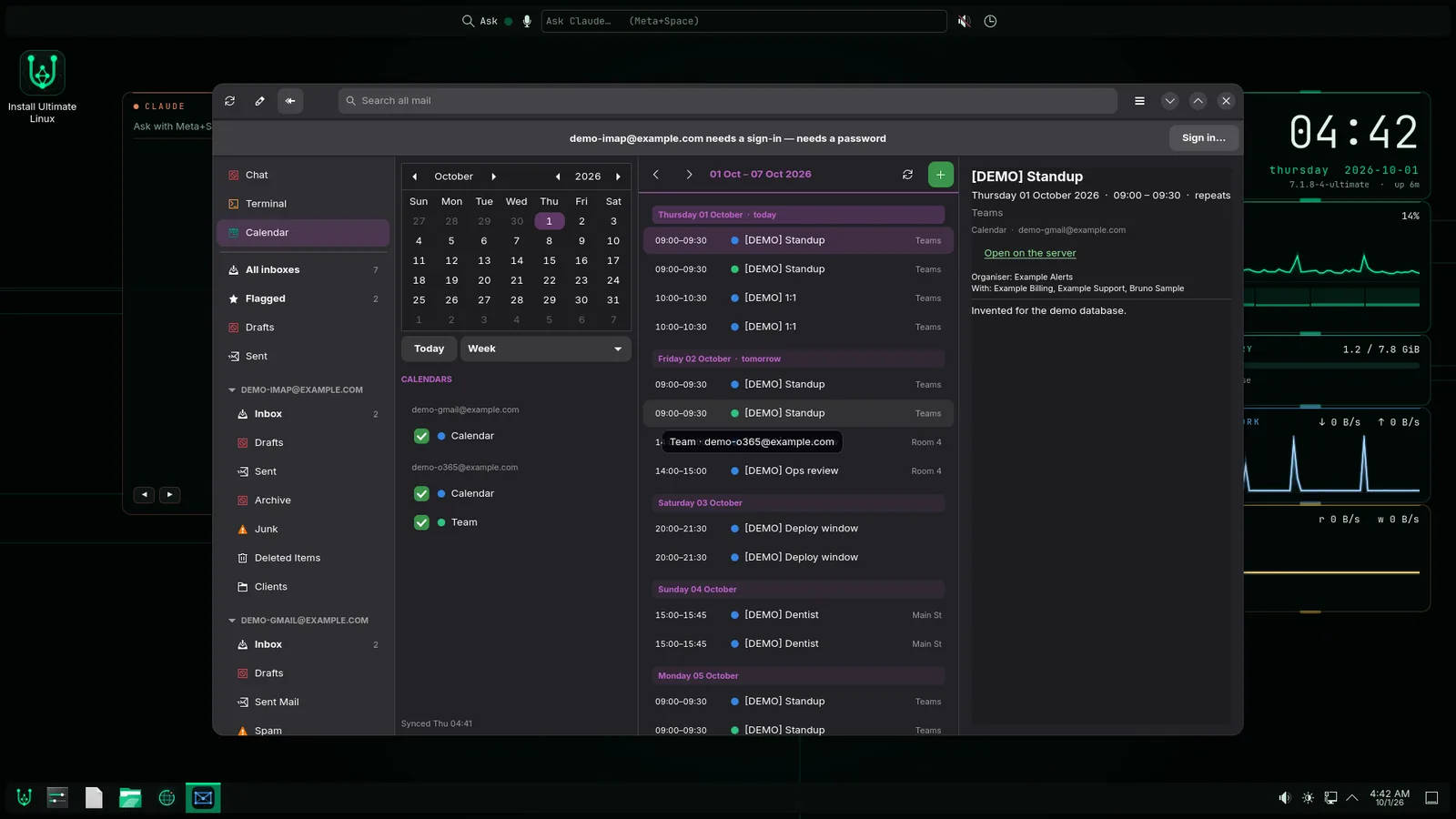
- Ultimate Mail A GTK 4 mail client for IMAP, Gmail and Office 365, with threaded conversations, rules, a calendar, a built-in terminal, and a way for Claude to help triage mail
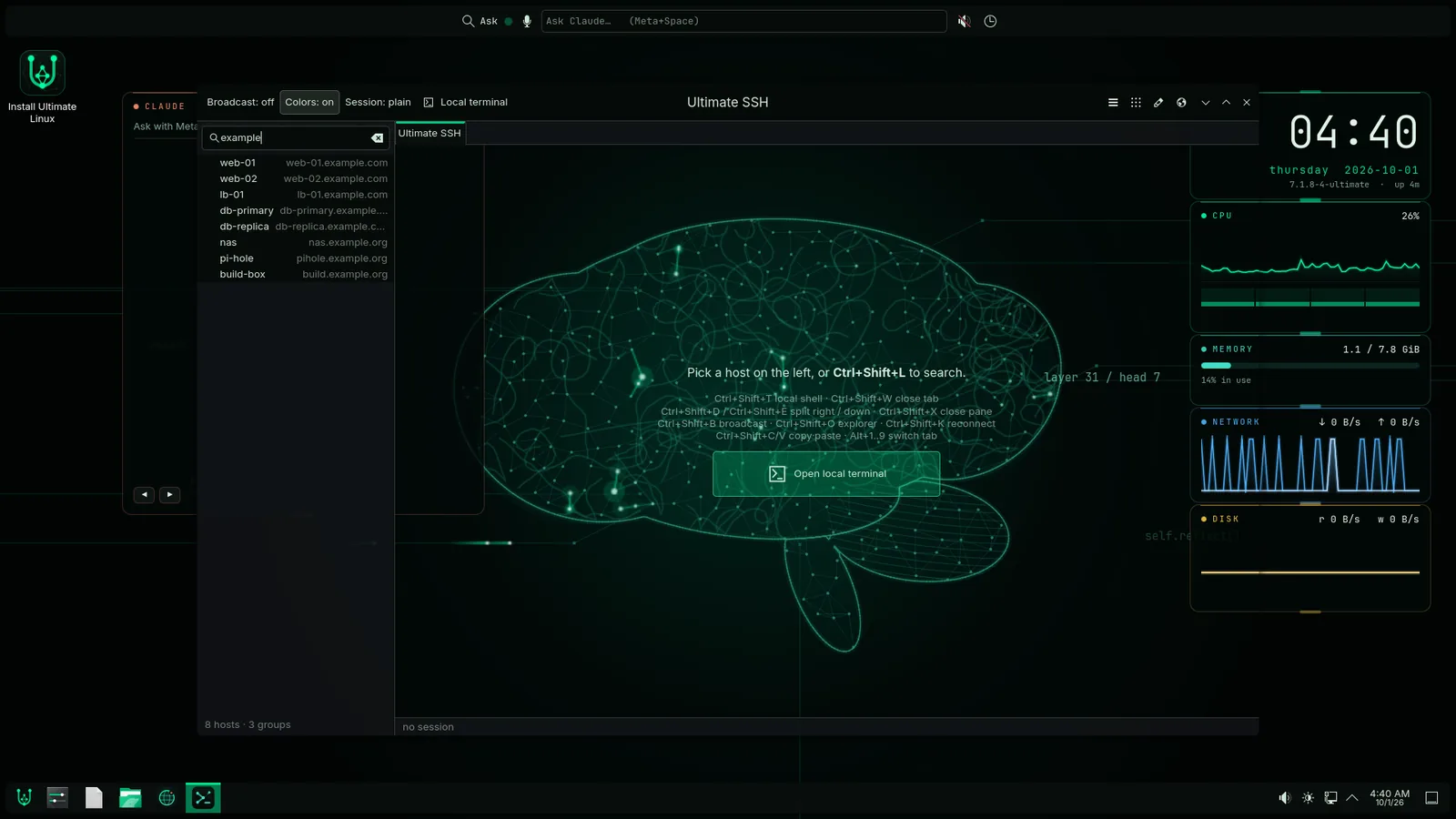
- Ultimate SSH The terminal and SSH manager: host groups and search, split panes, typing into many servers at once, a file explorer, and a live status line
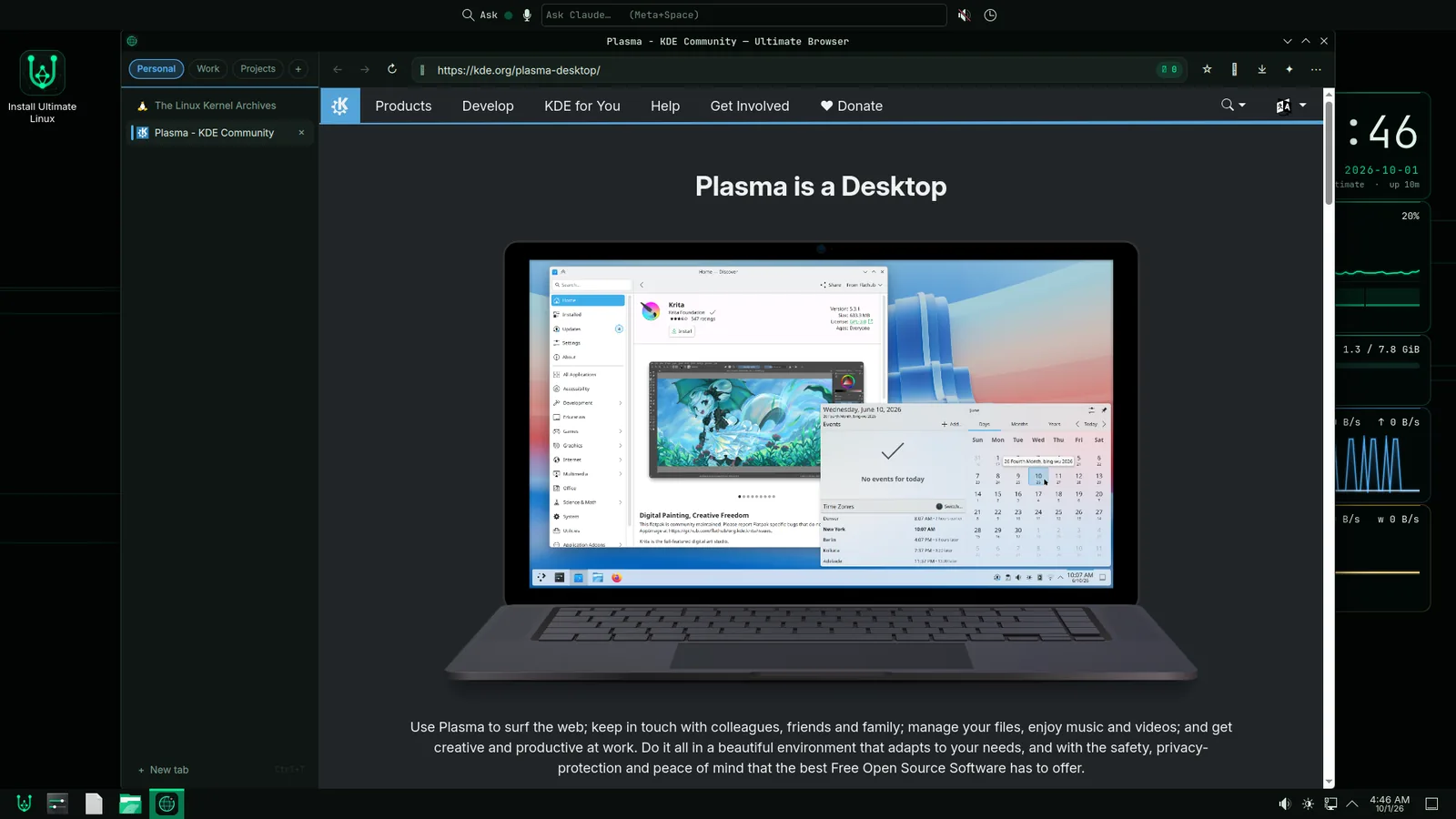
- Ultimate Browser A Qt WebEngine browser with workspaces that keep their cookies apart, vertical tabs, and a Claude side panel
- Ultimate Chat Our own chat server and client; the #ultimate-linux channel this page links to runs on it
- The look The Ultimate Dark colour scheme, the Cognition wallpaper, six desktop readouts, and our own boot splash and sign-in screen
- Installer Whole disk, alongside another system, or reinstall, plus a tool that brings your settings over from an existing Linux install
> What it runs
- Base Linux From Scratch 13.1 with systemd 261, compiled from source
- Toolchain GCC 16.2, glibc 2.44, binutils 2.47
- Kernel Linux 7.1 with our own configuration: full preemption, 1000 Hz, KVM, cgroups v2
- Desktop KDE Plasma 6.7 on Wayland, KDE Frameworks 6.29, Qt 6.11, Mesa 26.1
- Packages pacman 7.1, with three repositories of our own; every package and database is signed
- Boot GRUB for BIOS and UEFI, with Secure Boot on
- Apps Flatpak for anything else, from Flathub
- Network kit 57 network tools in every install: dig, mtr, nmap, tcpdump, Wireshark, iperf3, WireGuard, OpenVPN and more
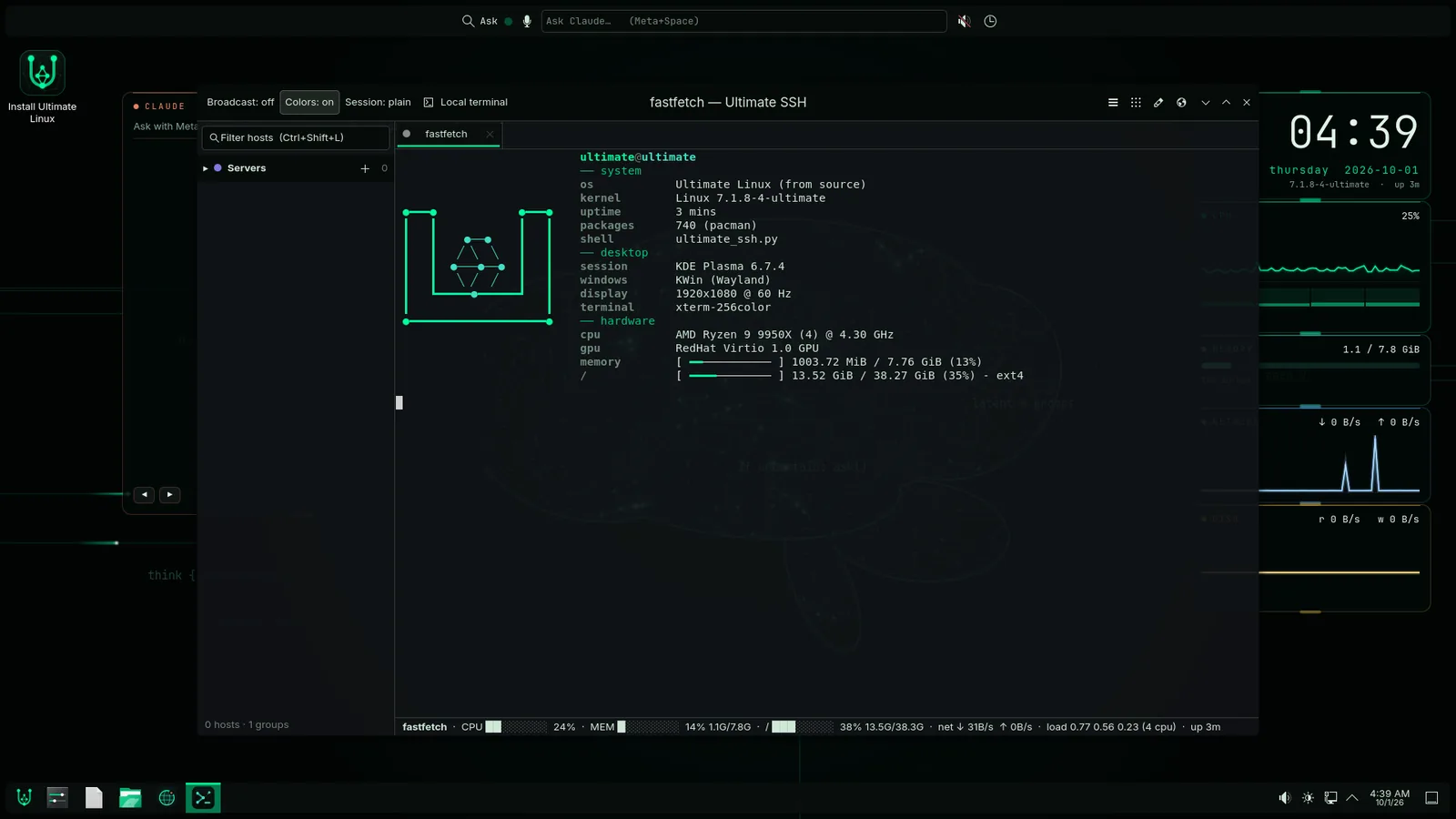
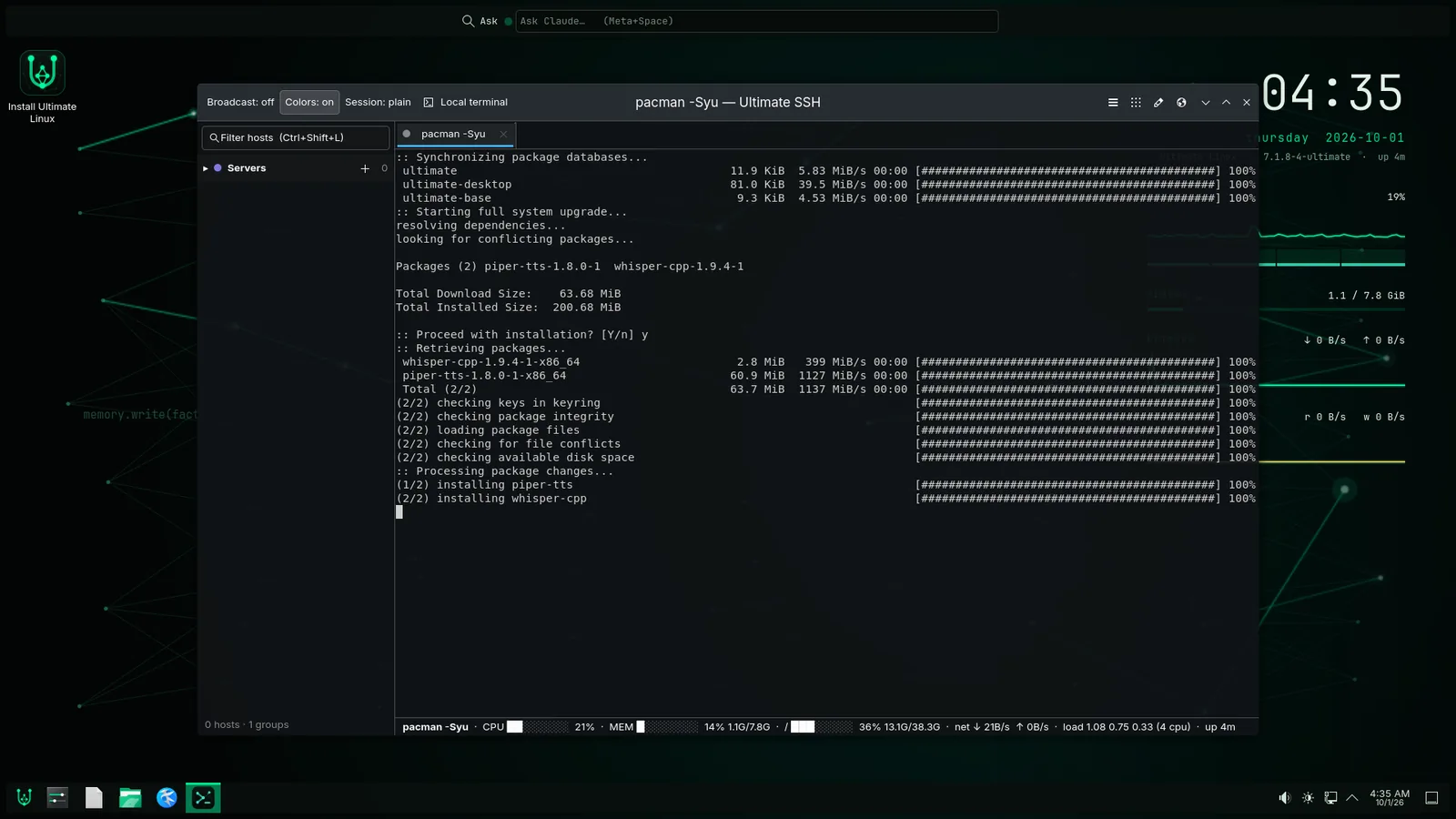
pacman -Syu from our own signed repositories.> How it was built
The base system is built the Linux From Scratch way: a temporary toolchain, then the real one, then every library and program on top, each from its source tarball. The desktop follows through Beyond Linux From Scratch: about 534 packages for Plasma alone, then WebKitGTK, libadwaita and the terminal libraries. Everything is built in a rootless container and turned into pacman packages, our own apps go on top, and the result is written to a bootable disk image.
Three packages take a third of the build: WebKitGTK alone takes 52 minutes, then Rust and Qt. The 752 packages that build in under 30 seconds take another 28%, mostly in single-threaded setup scripts, which is why more cores barely help.
Every package carries a detached signature from an ed25519 key, and pacman refuses anything unsigned.

> Things that went wrong, and what they taught us
- The update that froze After a secure download, pacman would hang forever. curl's resolver left threads behind, and the process that runs package scripts inherited a lock nobody would ever release. The fix was downloading as a separate unprivileged user. Our system had no tool to create that user, so we wrote one.
- A missing sandbox pacman 7 locks its downloader in a sandbox our kernel didn't support yet, so it refused to download anything. Before that, pacman had been built without signature support, so turning on signed repositories broke every pacman command.
- /dev/null that wasn't Inside the build container, /dev/null quietly became an ordinary file. Setup scripts produced corrupt results without complaining, and Claude Code crashed at start.
- A wallpaper that ate two cores The first animated wallpaper ran at 60 frames a second and cost two full cores on software graphics. Now one timer drives everything, it adapts to the graphics hardware, and it costs about a third of a core while Claude is thinking.
- No sound The first kernel we built had no sound card drivers at all. Later, a Bluetooth headset's mic sent pure silence. Now every codec is enabled, and voice picks a headset profile that works.
- Secure Boot and a Bluetooth keyboard The screen that asks you to trust a new Secure Boot key appears for ten seconds before the keyboard is alive. The first try missed. It took a wired keyboard.
> Try it
The current release is 2026.10.02. It's early: back up anything you care about first, and tell us how it goes in the chat.
- Image ultimate-linux-2026.10.02.img.xz (3.6 GB download, a 14.4 GB image)
- Instructions INSTALL.md: BitLocker, Secure Boot, writing the stick, installing alongside Windows or on the whole disk
- Check it SHA-256 and signature
- You need A 64-bit PC with 8 GB of RAM and 40 GB free, a 16 GB or larger USB stick, and about an hour
- Claude Installs from Anthropic at first login and needs your own Claude account (Pro or Max) or an API key; everything else works without it
- Updates
sudo pacman -Syu, signed, from our own servers - Source The build recipes and our apps are on GitHub: the distribution, Mail, SSH and Browser
The stick boots straight into a live desktop with no password, so you can look around before installing anything. All releases →
> Tell us what you think
We want to hear from people who have opinions about what a desktop with AI in it should and shouldn't do, and from anyone who wants to try it. Join with your name and email. You'll get a sign-in link and land in #ultimate-linux with us and everyone else following along. Screenshots and logs are welcome.
Join the #ultimate-linux chat →
RedCyfer's Ultimate Linux is an independent project by RedCyfer, built on Linux From Scratch, KDE and thousands of open-source projects. Linux is a registered trademark of Linus Torvalds. Claude is made by Anthropic; using it requires your own Claude account. Screenshots use demo data.